Capture annotate and record your screen with ease
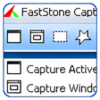
FastStone Capture is a practical Windows utility for taking screenshots, recording screen activity, and making simple edits without switching between several basic tools. Its main strength is convenience: a small capture panel gives access to common tasks such as grabbing windows, capturing screen areas, recording what happens on screen, and sending images into the built-in editor.
For everyday screenshot work, it covers the essentials well. After capturing an image, you can resize it, add captions, draw shapes, highlight important areas, and apply simple effects. These tools are especially useful for tutorials, reports, support documents, and quick visual explanations. It also supports multiple image export formats and includes image conversion features, which helps when you need files prepared for different uses.
FastStone Capture also includes helpful workflow options such as automatic saving and customizable keyboard shortcuts. If you take screenshots often, being able to assign hotkeys can make the program feel much more efficient after a little setup. The interface is simple and direct, though some users may find it dated compared with more modern apps.
The screen recording feature is useful for basic demonstrations, but it is not the program’s strongest area. Video export is limited to WMV, so users who need MP4, MOV, or more advanced editing may need an additional tool. The editing features are also best described as practical rather than deep. They are fine for marking up screenshots, but not suited to complex image design or polished video production.
FastStone Capture is only available for Windows, which limits its appeal for mixed-device households or teams using macOS. Support is available by email, and there is a tutorial for new users, but there is no formal ticketing system.
Overall, FastStone Capture is best for Windows users who regularly need screenshots, annotations, light image editing, and occasional screen recordings. It is not a full creative suite, but for clear, everyday capture tasks, it offers a focused and reassuringly straightforward set of tools.
- Version
- 11.0
- OS

- Developer
- FastStone
- Category
- Design & photography software
