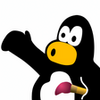
Creative drawing made simple for kids
Tux Paint is a free drawing and painting program for Windows built mainly for children aged 3 to 12. Instead of presenting a complicated design workspace, it gives young users a bright canvas, oversized tool buttons, simple labels, and playful audio feedback that make the experience feel approachable from the first click.
The layout is easy to understand. The drawing area stays in the center, while tools sit along the side and changeable options appear nearby depending on what the child selects. Tux, the penguin mascot, adds friendly encouragement and tips, helping the program feel more like a guided creative activity than a blank technical app.
Its toolset is broader than the simple interface suggests. Kids can paint with different brushes, draw lines and shapes, add text in various fonts, erase mistakes, undo actions, and use stamps to build scenes. The Magic tool is one of the most distinctive features, offering playful effects such as grass, bricks, mirrored strokes, and other visual surprises. These tools encourage experimentation without requiring children to understand advanced graphics concepts.
For everyday home or classroom use, Tux Paint is especially practical because it keeps common actions simple. Saving, opening, and printing artwork are designed with children in mind, so adults do not need to manage every step. The program also supports learning moments, such as recognizing shapes, exploring words through the text tool, and building confidence through trial and correction.
There are limits to consider. The visual style can feel dated, and the program is not updated as often as some users may expect. It is also not intended for advanced image editing or polished graphic design, so older children or adults wanting detailed creative control may outgrow it.
Overall, Tux Paint is best for parents, teachers, and caregivers who want a cheerful, low-pressure art program for young kids. It succeeds by staying simple, encouraging, and focused on creativity rather than complexity.
- Version
- 0.9.35
- OS

- Developer
- Tux Paint Project
- Category
- Design & photography software
