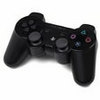
Use a PS3 controller on Windows
MotioninJoy is a small Windows utility designed for one clear purpose: making a PlayStation 3 controller usable on a PC. For players who prefer a gamepad over a keyboard and mouse, it offers a practical way to bring familiar console controls into desktop gaming, especially in titles where movement and button timing feel better on a controller.
The software works as a driver and configuration tool. It supports both wired USB use and Bluetooth connection, giving users some flexibility depending on how they want to play. Once the controller is recognized, MotioninJoy lets you adjust button assignments and controller behavior, so you can tailor the pad to suit different games. It also supports up to four controllers, which makes it relevant for local multiplayer sessions on the same computer.
In everyday use, its biggest strength is that it gives older PS3 controllers a second life on Windows. The feature set is straightforward: connect the controller, activate the needed driver options, and configure the layout. There is also guidance available for less experienced users, which helps reduce the confusion that often comes with controller drivers.
However, MotioninJoy is not a polished modern tool. The interface can feel awkward and cluttered, and banner ads take up a noticeable amount of space. Another irritation is that driver activation may be required repeatedly, which makes the experience less convenient than it should be.
The most serious concern is security. MotioninJoy has developed a reputation for malware risk and harmful online threats, so it is difficult to recommend without caution. While its core idea is useful and its controller features are appealing, safety matters more than convenience for most users.
MotioninJoy is best suited to technically cautious users who specifically need PS3 controller support on Windows and understand the risks. For general users, its functionality is helpful, but its security reputation is a major drawback.
